
Online Ordering System for Pickup and Restaurant Delivery
Restsify lets restaurants turn their digital QR menu into a simple online ordering system. Guests can browse the menu, add dishes to the cart, choose pickup or restaurant-managed delivery, and submit an order directly from their phone. Restaurant teams can receive instant notifications, manage order statuses from the dashboard or Telegram, and keep all order updates synchronized in real time.
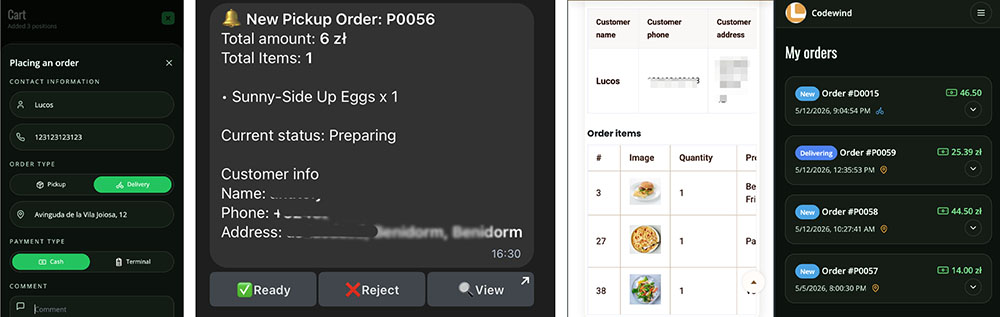
Turn Your QR Menu Into an Online Ordering Channel
With online ordering enabled, your digital menu becomes more than a place to display dishes. Customers can select menu items, add them to the cart, adjust quantities, and send an order directly from the same mobile-friendly menu interface.
- 🛒 Add dishes from the menu to the cart
- 📱 Mobile-friendly checkout for guests
- 🍽️ Works directly inside supported menu templates
- ⚡ Simple ordering flow without external platforms
Pickup and Restaurant-Managed Delivery
Restaurants can offer pickup, local delivery, or both depending on their service model. Available order options are controlled by the restaurant settings and shown to customers during checkout.
- 🥡 Pickup orders for customers who collect food themselves
- 🛵 Restaurant-managed delivery using your own delivery process
- ⚙️ Flexible settings based on what your restaurant supports
- 📍 Clear order type selection during checkout
Available in Supported Menu Templates
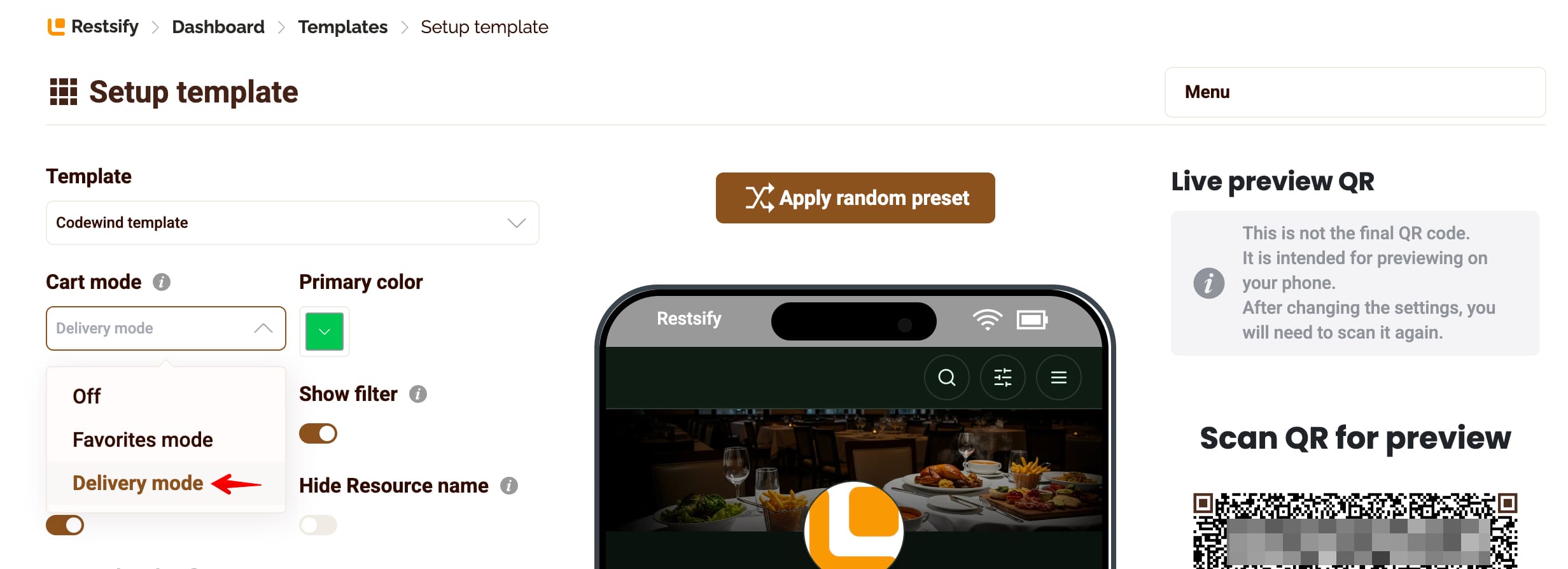
The latest Restsify menu templates support favorites, cart functionality, and online ordering mode. To enable ordering, open the template settings and activate the delivery or ordering features for the selected menu design.
- 🎨 Supported by the latest menu templates
- ⭐ Favorites mode for easier item selection
- 🛒 Cart mode for online orders
- 🔧 Activated from template settings
Restaurant Dashboard Order Management
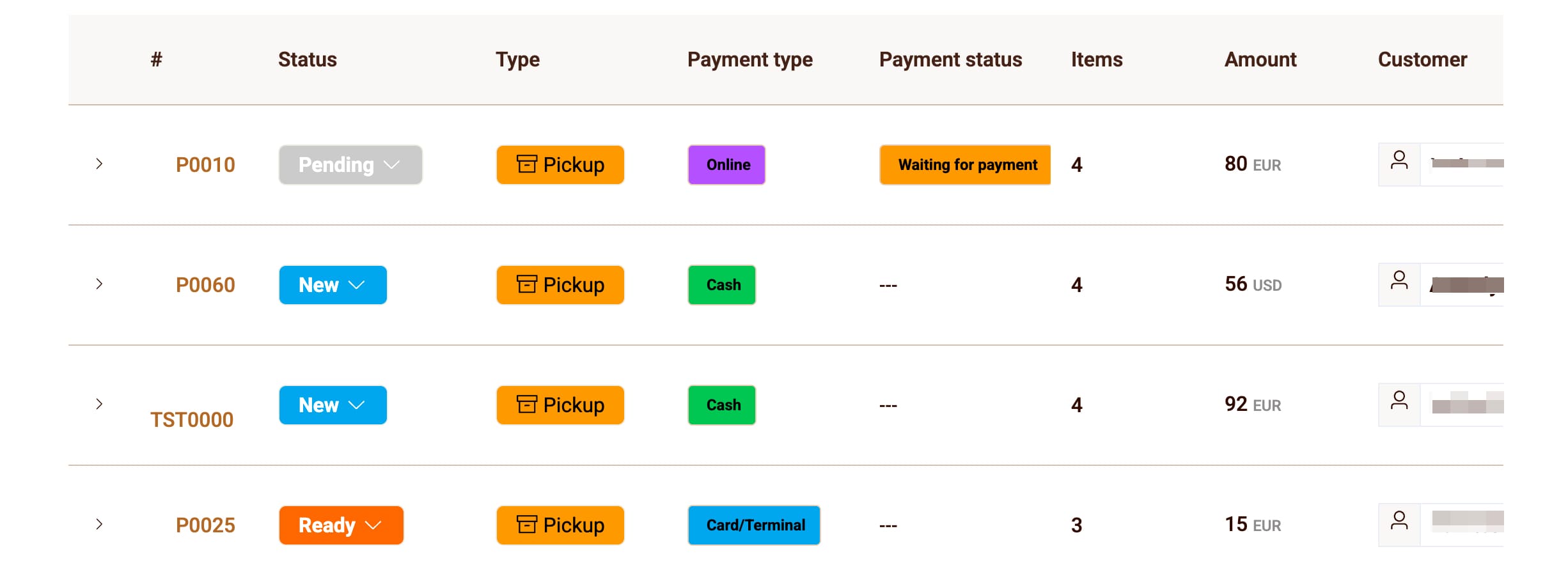
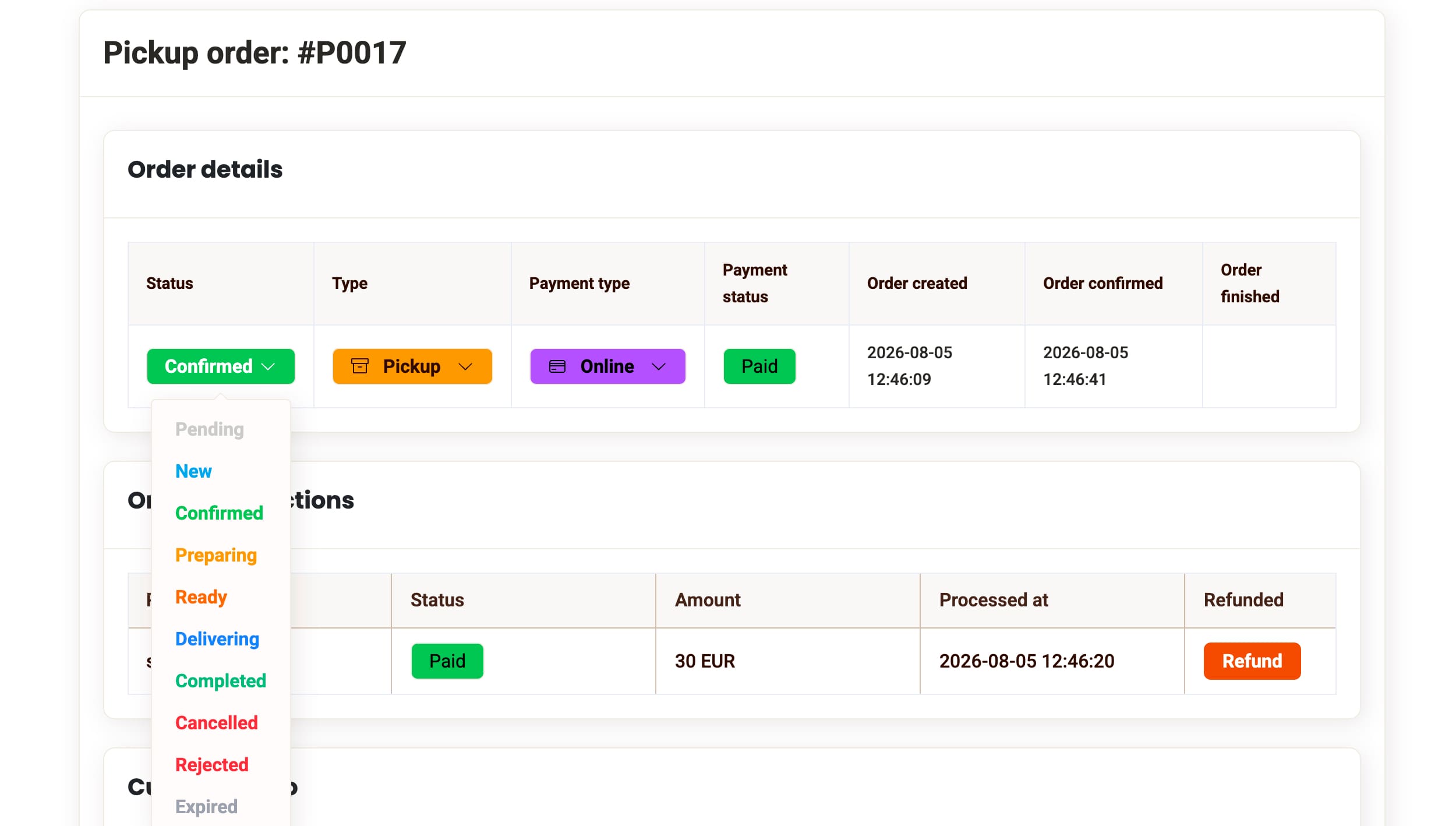
Every new order appears in the restaurant dashboard with the customer details, selected dishes, quantities, notes, order type, and current status. Your team can manage the full order flow from one place.
- 📥 Instant order display in the dashboard
- 👤 Customer contact and order information
- 🍕 Ordered dishes, quantities, and notes
- ✅ Accept, reject, prepare, and complete orders
Telegram Notifications for New Orders
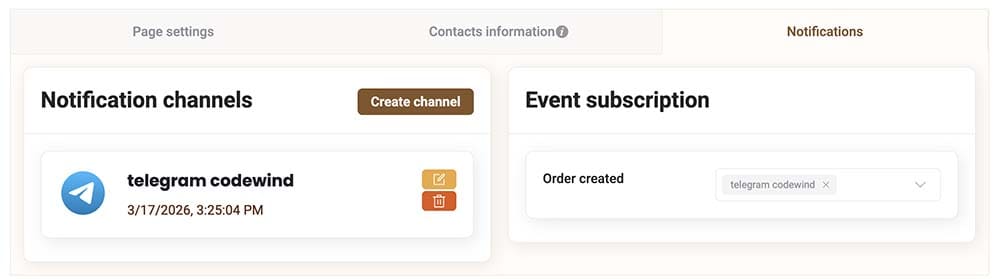
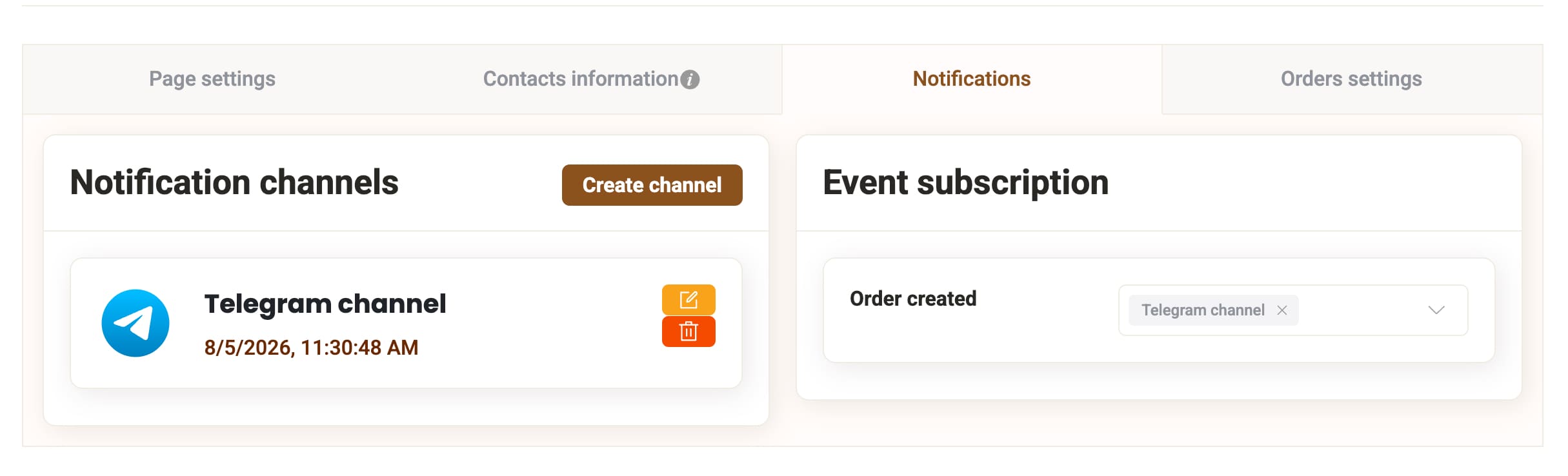
Restsify supports Telegram notifications for order events. To configure this, go to your restaurant resource settings, open the notifications section, add a notification channel, and subscribe it to the new order event.
- 🔔 Instant Telegram alerts for new orders
- 📡 Notification channels configured per restaurant resource
- 🧩 Event subscription for order creation
- 👥 Useful for managers, kitchen staff, or delivery operators
Manage Orders Directly from Telegram
Telegram integration is not limited to notifications. Your team can manage order statuses directly from Telegram: accept an order, reject it, or move it forward through the configured workflow.
- ✅ Accept orders from Telegram
- ❌ Reject orders when needed
- ➡️ Move orders to the next status
- ⏱️ Fast actions during busy restaurant hours
Real-Time Status Synchronization
Order status updates are synchronized between the restaurant dashboard and Telegram. When your team changes the status in one place, the latest state is reflected everywhere, helping staff stay aligned.
- 🔄 Dashboard and Telegram stay synchronized
- 📲 Status changes are visible to customers
- 👨🍳 Staff always see the latest order state
- 🧠 Fewer mistakes from duplicated manual updates
Customer Order Status Updates
Customers can follow the progress of their order as statuses change. This helps reduce confusion and gives guests a clearer understanding of whether their order is accepted, being prepared, ready for pickup, or moving through delivery steps.
- 👁️ Customers see order status changes
- 📦 Clear progress for pickup and delivery orders
- 💬 Less need for manual clarification
- ✅ Better customer experience after checkout
Protection Against Abusive or Unwanted Orders
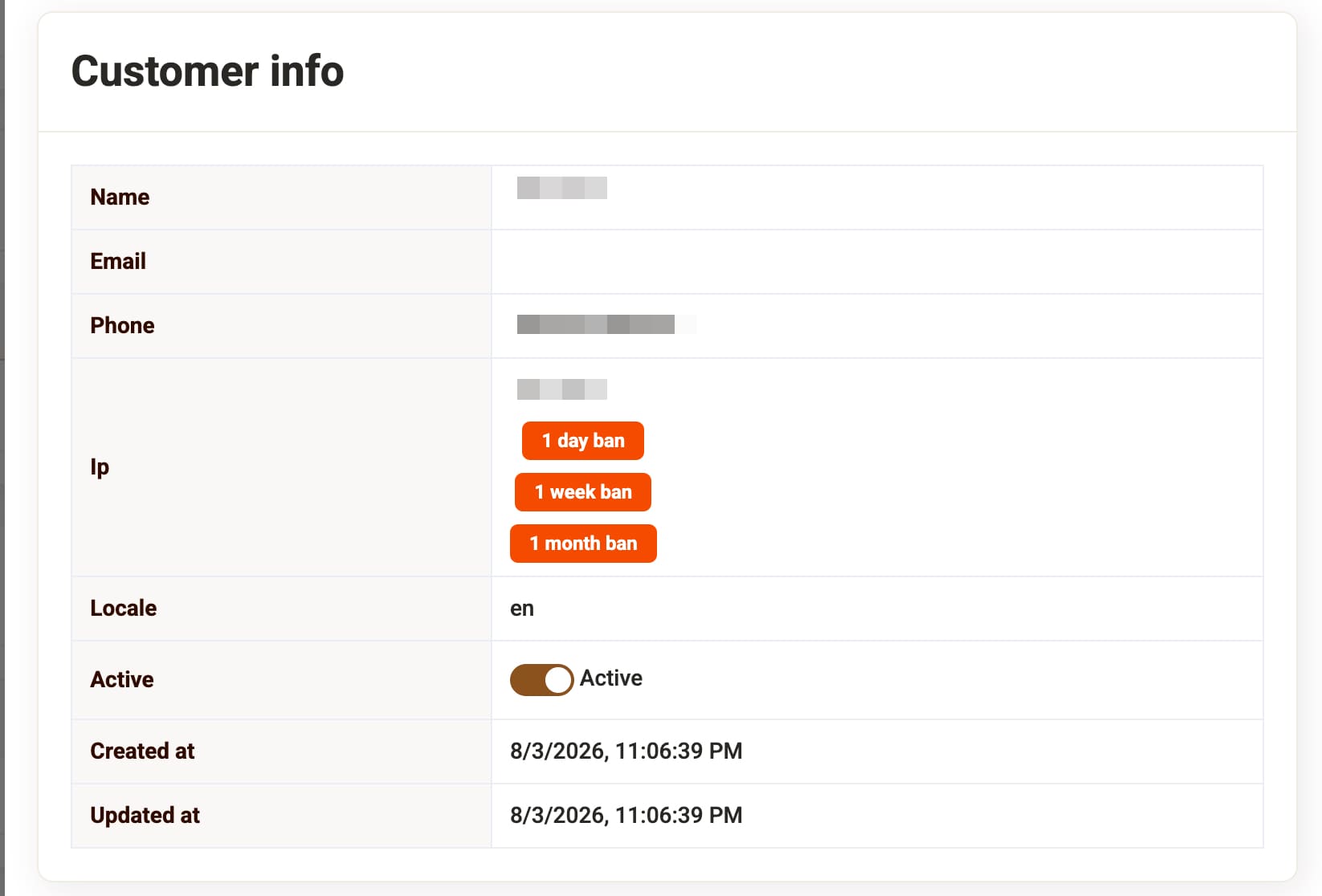
Restsify includes a ban system for problematic or repetitive customers. Restaurants can use it to reduce spam, repeated fake orders, or unwanted behavior from specific customers.
- 🛡️ Ban system for annoying or abusive customers
- 🚫 Helps prevent repeated fake orders
- 📉 Reduces noise for restaurant staff
- 🔐 Gives restaurants more control over order flow
Included in All Plans
Online ordering for pickup and restaurant-managed delivery is available across Restsify plans, including the free plan. Plan limits apply to menu content, such as the number of dishes, while ordering features can be used as part of the supported menu setup.
- ✅ Available in all plans
- 🎁 Included in the free plan
- 🍽️ Works with supported templates
- 📊 Uses the same restaurant dashboard and menu structure
Simple Setup for Restaurants
To start accepting orders, enable ordering features in the template settings, configure your pickup or delivery options, and set up notification channels if your team wants to receive order alerts in Telegram.
- 1️⃣ Enable delivery or ordering mode in template settings
- 2️⃣ Configure pickup and restaurant delivery options
- 3️⃣ Add a notification channel in resource settings
- 4️⃣ Subscribe the channel to new order events
- 5️⃣ Start receiving and managing online orders